One of the original uses of collage employed by Dadaists was to challenge the visual aesthetics formed around the photographic image - at the time, photography was regarded by many as achieving “truth”, “beauty”, “order”, etc. This project continues to explore the idea of using collage to challenge an aesthetic, in this case, the play aesthetic of a board game.
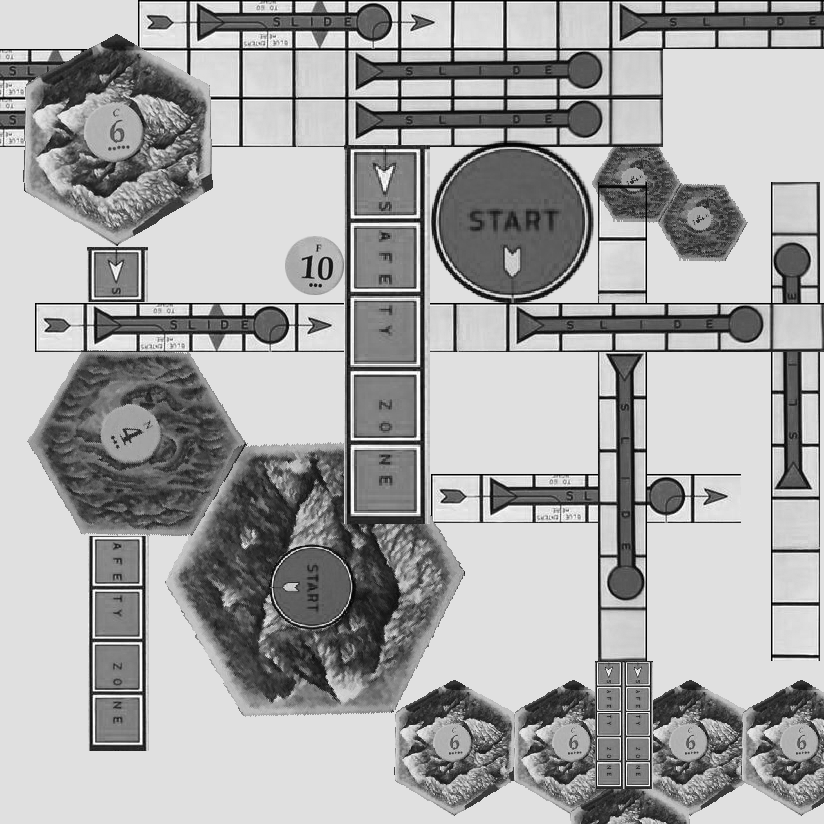
Description
For this project, you will utilize a pixel-based digital image editor to create a new "board game design" collage by recombining the visual designs and pieces of existing board games.
Specifics
Use the boards and pieces of two to three board games
Final compositions will be in grayscale / black and white
Two unique compositions will be made using the same original set of games
Project Goals + Outcomes
On the technical side, this project will primarily explore using transformation, editing, and layering processes to create interesting visual compositions. Since board game designs and pieces also visually communicate - or at least imply - many of a game's mechanics, rules and dynamics, these new compositions will also creatively explore how remixed visual board game designs can communicate a new potential game-play aesthetic.
Programs + Tools Used
This project explores pixel-based image editors - such as Photoshop - to work with digital collage processes and techniques.
Suggested Constraints
Two unique board game collage compositions made from the same 2 - 3 board games
Each composition will be in black and white / grayscale, to avoid using color to communicate meaning
Only work with board game elements - no additional text, images, etc.
Each composition will have a minimum dimension of 1200 pixels
No generative AI or fills - try to be intentional with each design choice
Suggested Rubric - 8pts Total
Compositions work with the same 2 - 3 board games and meet the minimum dimension - 2pts
Compositions do not include color - 1 pt
Compositions exhibit at least one use of a different blending mode or opacity change - 1 pt
Compositions exhibit experimentation with editing, and transformation tools, especially scale, position, rotation and use of multiple layers - 2 pts
A unique, second composition is included - 2 pts